
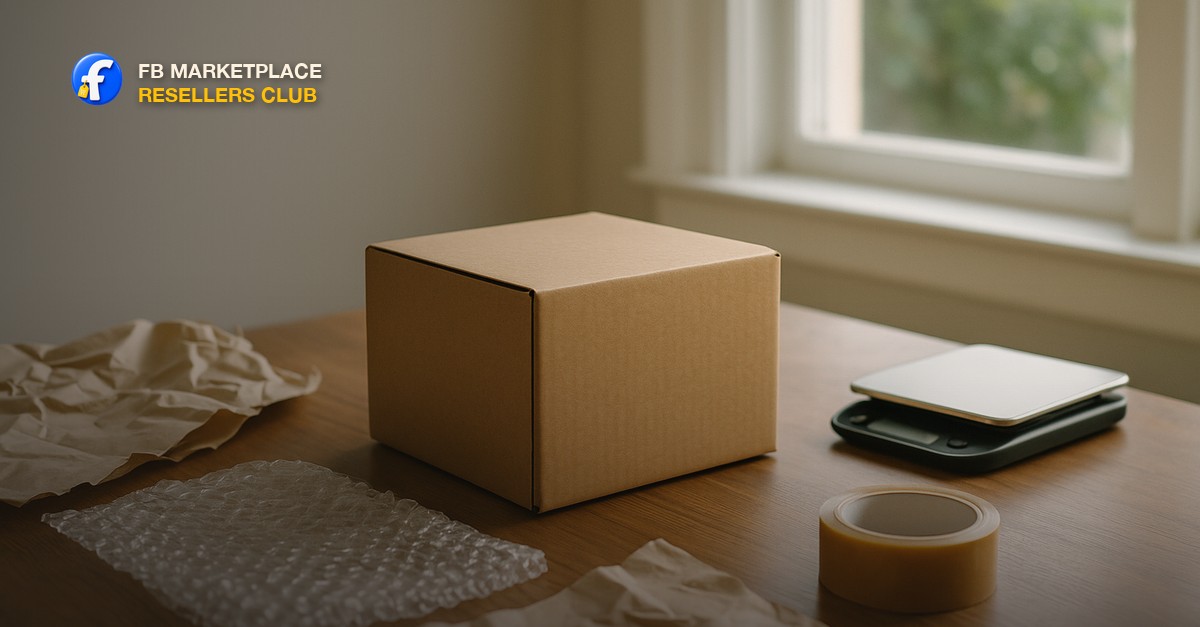
How to ship items on Facebook Marketplace, the short answer
Shipping on Facebook Marketplace works through the platform's own checkout, not a side deal in Messenger. You list an eligible item with shipping turned on, the buyer pays through Facebook, and Facebook generates a prepaid label for you to print and put on the box. You pack it, drop it at the carrier, and the tracking number closes the loop automatically. The part sellers get wrong is not the label, it is the packing and the paperwork trail that protects them if something goes sideways after the box leaves their hands.
Turning on shipping and what actually qualifies
Shipping is not available on every Marketplace listing. It shows up as an option for eligible categories and item types, generally small and mid-sized goods that make sense in a box: electronics, tools, collectibles, home goods, and similar. Facebook does not offer shipping for large furniture, appliances, vehicles, or anything else where boxing it is not realistic. When you list an eligible item, you will see a toggle for local pickup, shipping, or both. Turn shipping on if the item is boxable and worth the packaging effort, and leave it off if it belongs in local pickup instead.
Once a buyer chooses to buy with shipping, they pay through Facebook's checkout, not to you directly. Facebook takes a percentage fee on shipped sales, which is the tradeoff for the wider buyer pool and the built-in buyer protection on eligible checkout orders. If you have not already decided which of your items should ship versus sell locally, [local vs shipping Facebook Marketplace flips](/blog/local-vs-shipping-facebook-marketplace-flips) walks through that call by weight, value, and buyer pool before you get to the packing question at all.
The Two-Inch Rule for packing
Pack so there are two inches of real cushioning between the item and every wall of the box, not just the corners. Most damage claims trace back to a box that was sized for convenience rather than for the item, with the product touching cardboard on one or more sides and nothing but a shake of packing peanuts holding it in place. Two inches on all six sides is the standard that actually survives a conveyor belt and a stack of other packages on top.
- Pick the box to fit the item plus two inches of cushioning, not the other way around. A too-big box lets the item shift and slam into the walls in transit.
- Wrap the item itself first: bubble wrap for anything with a screen, glass, or a finish that scratches; packing paper for anything sturdier.
- Fill every gap with cushioning, not just the top. Air pillows, crumpled packing paper, or foam work. Peanuts alone migrate and leave gaps.
- Double-box anything fragile or electronic that cost you real money to source: the wrapped item goes in an inner box, and that inner box sits inside the outer box surrounded by its own two inches of cushioning.
- Tape every seam with real shipping tape, not household tape. Run tape across the top and bottom seams, not just down the middle.
- Shake the sealed box gently before you weigh it. If you hear or feel anything move, open it back up and add more cushioning.
Weighing and sizing the package correctly
Weigh the sealed box on an actual scale, not a bathroom scale you are holding while standing on it. A kitchen scale that goes up to at least 25 pounds covers most Marketplace shipments; for anything heavier, most shipping supply stores and post offices will weigh a package for a small fee or free if you are buying the label there. An inaccurate weight is the single most common reason a label gets flagged or a shipment gets an extra postage-due charge at the carrier, which either comes out of your margin or delays the delivery while it sits at a facility.
What to check before you print the label
| Check | Why it matters |
|---|---|
| Weight on a real scale, sealed box included | Facebook's shipping cost and the label are calculated from this number. Guessing low means a postage-due surcharge |
| Box dimensions, longest side and girth | Carriers charge dimensional weight on large, light boxes. An oversized box for a small item can cost more than a snug one |
| Address matches exactly what the buyer confirmed | A mismatched or abbreviated address is the top reason a shipped item gets returned to sender or lost in transit |
| Fragile or this-side-up labeling on anything with glass or a screen | It will not guarantee careful handling, but it is one more data point in your favor if a claim gets filed |
Printing and applying the label
Once the buyer pays through checkout, the shipping label becomes available in your Marketplace seller dashboard for that order. Print it, tape it flat to the largest side of the box with clear packing tape or a label pouch, and cover the whole label so it cannot smear or peel in the rain. Do not fold it over an edge or across a seam, since a barcode that will not scan gets a package pulled aside and delayed. Drop the package at the carrier location shown on the label, or schedule a pickup if that carrier offers one in your area.
- Only ever use the label Facebook generates for that specific order. A buyer who wants to send you their own label to save money is one of the oldest scripts in the book.
- Get a drop-off receipt or a photo of the package on the counter with a staff member's screen visible if the location scans it in front of you.
- Ship within the window Facebook shows on the order, usually a few days. A late ship is the fastest way to trigger a buyer complaint before the package has even moved.
- Keep the tracking number somewhere you can find it fast. If a buyer messages asking where their item is, a tracking link answers it before it becomes a dispute.
If a buyer ever emails or messages you a label to use instead of the one generated through Facebook checkout, that is not a shortcut, it is the setup described in [Facebook Marketplace scams sellers should know](/blog/facebook-marketplace-scams-sellers-should-know). Buy and use your own label through the platform, every time, with no exceptions.
The Ship Proof: your defense if something goes wrong
The Ship Proof is the club's name for the three photos every shipment needs before it leaves your hands: the item packed inside the box with cushioning visible, the sealed box sitting on the scale with the weight readable, and the finished box with the label applied. Take all three before you leave for the carrier. If a buyer later opens a claim that the item arrived damaged, was the wrong item, or never showed up, this is the entire case you have. Facebook's buyer protection covers eligible checkout orders, and it looks at exactly this kind of evidence when a dispute goes to review.
A damage claim without the Ship Proof comes down to your word against a photo of a broken item on the buyer's end, and that is a hard position to argue from. A damage claim with the Ship Proof shows the item left your hands intact, properly cushioned, and at the weight the carrier scanned, which shifts the conversation toward what happened in transit rather than what you shipped. Keep the photos until the buyer confirms receipt or the protection window closes, whichever is later.
When to skip shipping and go local instead
Shipping is not the right call for every item, even when it is technically eligible. Skip it and push the item to local pickup when the packaging cost and time would eat most of the margin, when the item is genuinely fragile enough that no amount of cushioning makes you comfortable, or when the value is high enough that you would rather see the buyer in person and get paid on the spot. Category matters here too: the categories that ship best on this platform are compact, sturdy, and easy to verify by photo, which is exactly the lane covered in [the Facebook Marketplace flipping tools guide](/blog/facebook-marketplace-flipping-tools-you-need) and [what actually sells on Facebook Marketplace](/blog/what-sells-on-facebook-marketplace).
Electronics deserve their own note. They ship well by size and weight, but a dead-on-arrival claim is common in this category regardless of platform, so test everything on camera before you pack it and keep that video alongside your Ship Proof photos. If electronics are becoming a regular category for you, [how to flip electronics on Facebook Marketplace](/blog/how-to-flip-electronics-on-facebook-marketplace) covers the testing and grading steps that head off most of those disputes before a box is ever built.
If a shipped sale goes wrong
A tracking number that stalls, a buyer who says the box arrived empty, or a return request all follow the same first step: pull up your Ship Proof photos and the tracking history before you respond to anything. Reply calmly, share what you have, and let Facebook's process run rather than agreeing to refund immediately out of pressure. The full walkthrough for handling a return or a complaint once it is filed, including what a legitimate return looks like versus a scripted one, is in [how to handle returns and complaints on Facebook Marketplace](/blog/how-to-handle-returns-on-facebook-marketplace).
Short, practical drops on sourcing, pricing with comps, listing copy, and safe meetups. No spam, unsubscribe anytime.
Frequently asked questions
How do I ship an item on Facebook Marketplace?
Turn on the shipping option when you create the listing (only eligible categories offer it). When a buyer purchases through checkout, Facebook generates a prepaid shipping label that appears in your seller dashboard. Print it, box the item with proper cushioning, weigh the sealed box, tape the label to the largest flat side, and drop it at the carrier shown on the label within the shipping window Facebook gives you.
Does Facebook Marketplace pay for shipping?
The buyer pays for shipping as part of the checkout price, and Facebook generates the label using that payment. You do not pay for the label separately, but Facebook takes a percentage fee on shipped sales, which is the cost of using checkout instead of arranging a private local sale.
What happens if an item gets damaged in shipping on Facebook Marketplace?
The buyer can file a claim through Facebook's checkout protection on eligible orders. Your best defense is proof that the item left you intact and well packed: photos of the packed contents, the item on the scale, and the sealed, labeled box, all taken before you dropped it off. Without that documentation, a damage claim is largely your word against theirs.
How much cushioning does a package need for Facebook Marketplace shipping?
Aim for two inches of real cushioning, bubble wrap or packing paper plus a filler like air pillows, between the item and every side of the box, not just the corners. A box sized to the item with two inches of clearance all around survives handling far better than a bigger box with the item rattling loose inside.
Can I use my own shipping label instead of Facebook's?
No. Always use the prepaid label Facebook generates for that specific order once the buyer pays through checkout. A buyer who sends you their own label to use is a known scam pattern, not a convenience, and using an outside label removes you from Facebook's buyer protection and payment process entirely.
Should I ship every item or only sell locally?
Ship items that are compact, sturdy, and cheap enough to package that the shipping cost does not wipe out the margin. Keep large, heavy, high-value, or genuinely fragile items on local pickup, where you can hand the item over in person and get paid on the spot without packaging risk.
How long do I have to ship an item after it sells on Facebook Marketplace?
Facebook shows a shipping deadline on the order once the buyer pays, typically a few days. Shipping late is one of the fastest ways to trigger a buyer complaint before the package has even left your hands, so pack and drop it off as soon as the label is ready rather than letting it sit.
Last reviewed by Nicole on August 25, 2026