
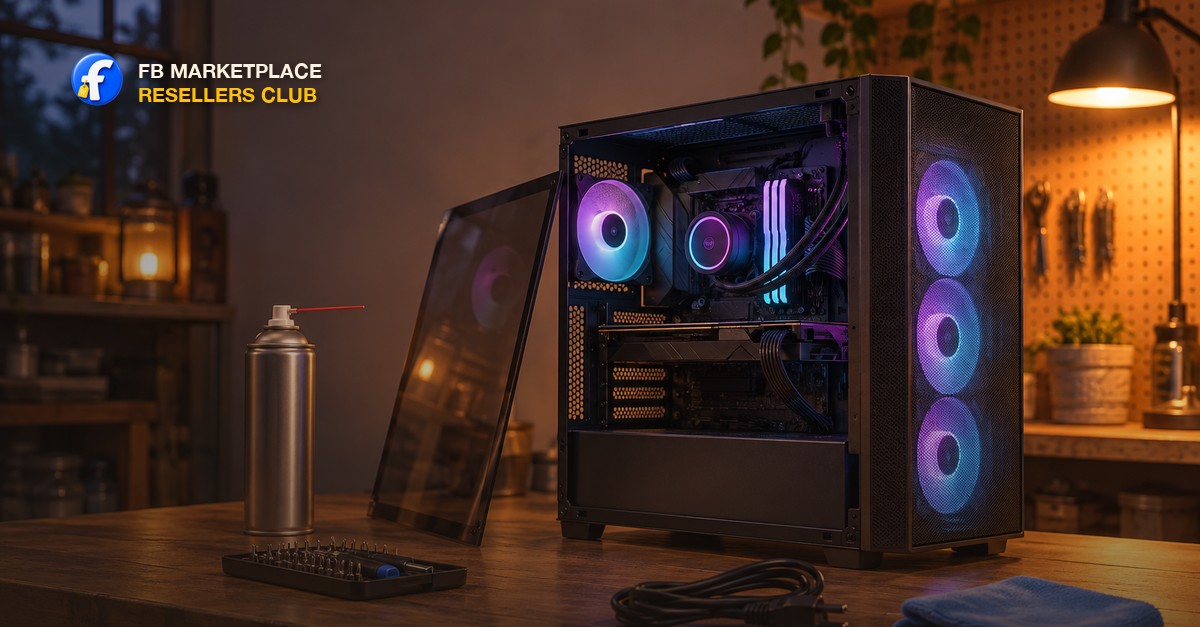
How to flip gaming PCs on Facebook Marketplace: the short answer
To flip gaming PCs on Facebook Marketplace, buy desktops from sellers who are upgrading, moving or clearing out a gamer's old setup, run the Boot-Spec-Stress check in person before you pay, then clean the case, reset Windows properly and relist with the exact graphics card, processor, memory and storage in the title. Your margin comes from the information gap: a buyer searching for a specific graphics card will pay for a PC that clearly has one, while the seller who listed it as 'gaming computer' often priced it like a mystery box.
If you have read the guide on how to flip electronics on Facebook Marketplace, the core habits carry over: test before you pay, price off what the same model actually sold for near you, and show buyers proof that it works. What is different with gaming PCs is that the value sits inside the case, and two machines that look identical from the outside can be worth very different amounts. Knowing how to see inside is the whole skill.
What makes a gaming PC worth flipping
Buyers shop gaming PCs by what they can play, and that comes down mostly to the graphics card. The processor and the amount of memory come next, then storage, then the case, cooling and power supply. Lighting, a fancy case and a 'custom built' description do not change what the machine can do, so do not pay extra for them.
The parts that set a gaming PC's value, in rough order
| Part | What to look at |
|---|---|
| Graphics card (GPU) | The exact model. This is usually the single biggest part of the value and the first thing buyers search for |
| Processor (CPU) | The exact model and generation. A strong graphics card paired with a very old processor is a weaker machine than the card alone suggests |
| Memory (RAM) | How much, and whether it is running at its rated speed. Check the amount the tools report matches what the seller claims |
| Storage | Solid-state drives are what buyers expect. Note the size. A PC that boots from an old spinning hard drive will feel slow to a buyer |
| Power supply | A known brand with enough capacity for the graphics card. A cheap unbranded unit is a reason to price lower, not a reason to walk away |
| Case and cooling | Every fan spins, nothing rattles, the side panel is intact and the front ports work |
In my view, prebuilt PCs from known brands and clean home builds with name-brand parts are the easiest flips, because buyers can look up every part. Very old machines with no dedicated graphics card are office computers with lights, and they should be bought and priced like office computers.
The Boot-Spec-Stress check
The Boot-Spec-Stress check is how I recommend vetting a gaming PC before money changes hands. Boot tells you it starts cleanly from cold. Spec tells you the parts are what the seller says they are. Stress tells you it stays stable when it is actually working hard, which is when a weak power supply, a failing graphics card or bad cooling shows up. Ask the seller to have it set up with a monitor, keyboard and mouse before you arrive, and do not buy a gaming PC you cannot see running.
- Boot. Ask the seller not to turn it on before you get there, so you see a cold start. It should power on, reach the desktop without error messages and without restarting itself. Listen as it starts: a grinding or clicking sound, or a fan that roars and never settles, is worth asking about.
- Spec. Do not trust the sticker on the case or the listing text. Open the Windows Task Manager and look at the Performance tab for the processor, memory and graphics card. If you can, bring CPU-Z and GPU-Z on a USB drive. Both are free Windows tools: CPU-Z reports the processor, motherboard and memory, and GPU-Z reports the graphics card. Also check activation under Settings, then System, then Activation, so you know whether Windows is activated before you price it.
- Stress. Run a demanding game or a graphics benchmark for at least several minutes and watch the screen and listen to the machine. Flickering, colored speckles or lines on screen, a crash to the desktop, a frozen picture or a sudden shutdown are all red flags, usually pointing at the graphics card, the power supply or overheating. Feel the air coming out of the back: it should be warm, not scorching, and the fans should rise and fall with the load.
With the power off and unplugged, ask if you can take the side panel off for a look. Heavy dust, a graphics card sagging in its slot, burnt smells, missing screws or loose cables tell you a lot about how the machine was looked after.
What to fix and what to leave alone
Most of the margin in a gaming PC flip comes from cleaning and resetting, not from swapping parts. Upgrading a graphics card or processor to sell a machine for more is a different business with different risks. Start by selling what you bought, cleaned up and honestly described.
Common gaming PC issues, sorted by how worried to be
| Issue | How to think about it |
|---|---|
| Dust in fans, filters and heatsinks | Normal. Clean it with compressed air, holding the fans still so they do not spin from the air. A clean interior photographs well and runs cooler |
| Old personal files and accounts | Always fix. Reset Windows before you list (see the next section) |
| Messy cables and a sagging graphics card | Tidy the cables and add a simple support bracket if the card sags. Small job, better photos |
| Missing side panel screws or a cracked glass panel | Replacement screws are a small fix. A cracked glass panel is a disclosure and a price cut, or a replacement part |
| Windows not activated | Disclose it plainly in the listing and price for it. Do not sell product keys or claim it is activated when it is not |
| Crashes, artifacts or shutdowns under load | In my view, usually a pass unless you know how to diagnose hardware. The cause could be the card, the power supply, the memory or the cooling, and guessing is expensive |
| Burnt smell, swollen or leaking parts | Pass. Do not plug it in again |
How to reset a gaming PC before you sell it
Even if the seller says they wiped it, reset it yourself. Your buyer will be logging in to their own accounts on it, and you do not want anyone else's files, saved passwords or logged-in game launchers going with the machine.
- In Windows, go to the reset option for the PC and choose 'Remove everything.' This reinstalls Windows and removes personal files, apps and settings.
- Turn on the clean-data option when you are asked. It removes files and cleans the drive, which makes it harder for anyone to recover what was there before. It takes longer, so start it before you clean the case.
- After the reset, boot it once to the setup screen to confirm it works, then shut it down and leave setup for the buyer.
If you added any of your own accounts while testing, sign out of them before the reset. The reset is also a good moment to confirm activation status again so your listing says the right thing.
Where to find gaming PCs to flip
- Marketplace itself: set saved searches for 'gaming pc,' 'gaming computer,' 'gaming desktop' and the graphics card names you learn. Also search plain terms like 'computer tower' and 'desktop computer,' because some of the best buys are listed by parents or relatives who do not know what is inside.
- Upgrade sellers: people who just bought a new machine often want the old one gone fast and price it to move.
- Moving and downsizing listings: a seller with a move-out date cares more about the tower being gone than about its exact value.
- Estate sales and garage sales: less common for gaming hardware, but when a tower turns up it is often priced like an office computer. The estate sale and garage sale sourcing guides on this blog cover how to work them.
Before any pickup, follow the safe meetup checklist in the Guides section. A gaming PC is a high-value, cash-heavy item, so meet in a safe spot or bring someone with you, and agree on testing time before you drive out. Transport the tower lying on its side with the side panel facing up, padded with a blanket, so the graphics card is not hanging off its slot on a bumpy ride.
How to list a gaming PC so it sells
Gaming PC buyers search by part names and want proof that what is in the listing is what is in the case. Answer both in the listing.
- Title: lead with the graphics card, then the processor, then memory and storage. For example: 'Gaming PC - [graphics card], [processor], 32GB RAM, 1TB SSD.' Put the exact model names in, because that is what buyers type. The post on listing titles that get clicks has more on this.
- Photos: the whole tower lit up, a clear shot through the side panel showing the graphics card, the rear ports, and a photo of the screen showing the spec readout from Task Manager or the free tools. The photo staging basics post covers lighting and backgrounds.
- Description: every main part by name, whether Windows is activated, that it was reset and cleaned, any flaws, and what is included, such as the power cable. Only list parts you confirmed with the tools, never what the old sticker says.
- Testing: say the buyer is welcome to see it running before they pay. In my view, nothing builds trust faster for a gaming PC than that line.
- Bundles: a monitor, keyboard and mouse can help it sell to a first-time PC gamer. The guide on how to bundle items on Facebook Marketplace covers when bundling helps and when it hurts.
Price off sold comps for PCs with the same graphics card and processor near you, then run the numbers through the flip profit calculator with cleaning supplies, any replacement parts, gas and your time included. Gaming PCs are usually local flips. The post on local versus shipping flips explains why heavy, fragile, high-value items like this are almost always better sold in person.
Common mistakes when flipping gaming PCs
- Buying a gaming PC you did not see boot and run under load.
- Trusting the listing or the case sticker instead of checking the parts yourself.
- Paying for lighting, fans and a fancy case instead of the graphics card and processor.
- Selling without resetting Windows and cleaning the drive.
- Including game accounts, license keys or subscriptions in the sale.
- Leaving exact part names out of the title.
- Moving the tower upright and loose in a car so the graphics card works loose.
- Starting part swaps and upgrades on your first flips instead of selling what you bought.
One thing you can do this week
Set saved searches for 'gaming pc' and 'computer tower,' then open ten listings and note for each one whether the seller names the graphics card, the processor and the memory. Message two of the vague ones and ask exactly what graphics card and processor are inside and whether you can see it running, even if you do not buy, so asking for specs and a live test becomes a habit before your first pickup.
Short, practical drops on sourcing, pricing with comps, listing copy, and safe meetups. No spam, unsubscribe anytime.
Frequently asked questions
Is flipping gaming PCs on Facebook Marketplace worth it?
It can be, when you buy from a seller who does not know or does not care what is inside, it passes the Boot-Spec-Stress check, and it mostly needs cleaning and a reset rather than repairs. Sold comps for PCs with the same graphics card and processor near you should clear your price after supplies, gas and your time.
How do I check what parts are in a gaming PC before buying?
Ask to see it running. Open Task Manager and check the Performance tab for the processor, memory and graphics card. If you can, bring the free tools CPU-Z, which reports the processor, motherboard and memory, and GPU-Z, which reports the graphics card. Do not rely on the listing or the case sticker.
How do I test a used gaming PC?
Watch it boot from cold, confirm the parts, then run a demanding game or graphics benchmark for several minutes. Crashes, flickering, colored speckles or lines on screen, freezing or sudden shutdowns are red flags. The fans should speed up and slow down with the load, and the exhaust air should be warm but not scorching.
How do I wipe a gaming PC before selling it?
Use the Windows reset option, choose 'Remove everything' and turn on the clean-data option. That reinstalls Windows, removes personal files, apps and settings and cleans the drive so old files are harder to recover. Then let the buyer do the first-time setup.
Can I sell a gaming PC with games or a game account included?
Not the account. Marketplace's commerce policies do not allow selling digital accounts, digital subscriptions or downloadable digital content. Reset the PC so the buyer signs in to their own accounts.
What should I put in a gaming PC listing?
The graphics card, processor, memory and storage by exact model in the title, plus photos of the lit-up tower, the inside through the side panel, the rear ports and a screen showing the spec readout. In the description, add whether Windows is activated, that it was reset and cleaned, any flaws, and that buyers can see it running before they pay.
Last reviewed by Nicole on November 21, 2026